

RMI The Remote Research Library LOGOS/Faithlife

Posts mit dem Label VIU werden angezeigt. Alle Posts anzeigen

Donnerstag, 14. November 2024

Ace Your Performance Review: A Guide for LOGOS Students by LAD (h.c. multi) Uwe A. E. Rosenkranz ,kindly assisted by AI Alexa


Rosary

Pls watch our LOGOS video below:

Scene 1: The Importance of Performance Reviews

  • Narrator: Performance reviews can be a valuable opportunity for LOGOS students to showcase their achievements, receive feedback, and set goals for future development. By preparing effectively, you can make the most of this opportunity and demonstrate your commitment to academic excellence.

Scene 2: Preparation is Key

  • Student 1: I'm feeling nervous about my upcoming performance review.
  • Student 2: Don't worry, preparation is key. Start by reviewing your past assignments and identifying areas where you excelled or faced challenges.
  • Student 3: It's also helpful to gather any relevant data or evidence that supports your achievements, such as test scores, projects, or feedback from teachers.

Scene 3: Showcasing Your Achievements

  • Narrator: During the review, be prepared to discuss your accomplishments and highlight your strengths. Use specific examples to illustrate your points and demonstrate your growth over time.
  • Student 1: I'm proud of the progress I've made in my critical thinking skills. For example, in my recent essay, I was able to analyze complex arguments and formulate my own conclusions.
  • Student 2: I've also improved my communication skills by actively participating in class discussions and delivering presentations.

Scene 4: Setting Goals for Future Development

  • Narrator: The performance review is also an opportunity to set goals for future development. Identify areas where you can improve and create a plan to address them.
  • Student 3: I want to focus on improving my time management skills. I plan to create a schedule and stick to it, as well as break down large tasks into smaller, more manageable ones.
  • Student 1: I'm going to work on my research skills by utilizing the library resources more effectively and exploring different research methods.

Scene 5: Embrace Feedback

  • Narrator: Remember, feedback is an essential part of the learning process. Be open to constructive criticism and use it as an opportunity to grow.
  • Student 2: I appreciate my teacher's feedback on my writing. I'm going to focus on improving my grammar and sentence structure.
  • Student 3: I'm also going to ask my teacher for suggestions on how I can improve my study habits.

Scene 6: Concluding Thoughts

  • Narrator: By following these tips, LOGOS students can confidently approach their performance reviews and use them as a tool for continued academic success. Remember, preparation, self-reflection, and a willingness to learn are the keys to acing your performance review.


Ace Your Review!

Characters:

  • Narrator
  • Student 1 (Nervous Nelly)
  • Student 2 (Prepared Paul)
  • Student 3 (Goal-Oriented Gary)

Scene 1:

  • Narrator: Performance reviews: Show off your skills and get feedback!

Scene 2:

  • Nelly: Yikes, my review is coming up!
  • Paul: Chill out! Review your work and see where you shined.
  • Gary: Grab your best work - tests, projects, teacher comments - to show them what you've got!

Scene 3:

  • Narrator: Time to shine! Talk about your wins and how you've grown.
  • Nelly: My thinking skills are way better! My last essay was top-notch.
  • Paul: I'm a communication pro now! Class discussions? Presentations? No problem!

Scene 4:

  • Narrator: What's next? Set goals and make a plan to reach them.
  • Gary: Time management is my goal. Schedules and to-do lists are my new best friends.
  • Nelly: Research skills for me! Library time and new methods, here I come!

Scene 5:

  • Narrator: Feedback time! Listen and learn.
  • Paul: My teacher's writing tips are gold. Grammar and sentences, I'm on it!
  • Gary: I'll ask for study tips too!

Scene 6:

  • Narrator: Prep, think about your work, and be ready to learn. You got this!
  • AI Rosary Parish [caption id="attachment_1339" align="aligncenter" width="1920"] LOGOS[/caption]  
[caption id="attachment_265" align="aligncenter" width="3000"]Hand in Hand zusammen sind wir stark.[/caption]

Uni VIUPlease complete the form below to request admissions information:

Vision International University is the world's first and largest global distance learning network for the Independent Pentecostal and Charismatic movements.

As pastors, counselors, and educators, we believe a meaningful and respected ministry degree should be practical, integrated with everyday life, and thoroughly rooted in the local church so students can stay with their families, churches, and communities while they earn a degree. We believe that every individual Christian should be trained for ministry, and we believe in individual callings. We are committed to helping our students achieve their ministry goals.

Online Learning

Study online, with no residency requirement using our pioneering online learning platform. Enroll in an Online Course!

University

Earn a US-authorized, internationally accredited advanced degree — primarily for students in the Majority World! Earn a Degree in Christian Ministry

Schools of Ministry

Let us help build a School of Ministry to offer Christian Ministry training in the local church! Start a School of Ministry in the Local Church
RMI India

About Vision International

The Vision International offers both academic and vocational degree programs designed to prepare people for professional service in Christian Ministry and Community Service. Vision offers flexible and affordable distance education and online learning programs from Certificate to Master's Degree. Vision also offers local church-based training via its Resource Center outreach programs in 140 nations worldwide. Explore Our Degree Programs

Vision International University is Internationally Accredited

Vision International University holds International Accreditation from ASIC (Accreditation Service for International Schools, Colleges, and Universities).
ASIC Accreditation is a leading, globally recognised quality standard in international education. Institutions undergo an impartial and independent external assessment process to confirm their provision meets rigorous internationally accepted standards, covering the whole spectrum of its administration, governance, and educational offering. Achieving ASIC Accreditation demonstrates to students and stakeholders that an institution is a high-quality education provider that delivers safe and rewarding educational experiences and is committed to continuous improvement throughout its operation. About ASIC: One of the largest international accreditation agencies operating in 70+ countries, ASIC is recognised in the UK by UKVI - UK Visas and Immigration (part of the Home Office of the UK Government), is ISO 9001:2015 (Quality Management Systems) Accredited and is a Full Member of The International Network for Quality Assurance Agencies in Higher Education (INQAAHE), a member of the BQF (British Quality Foundation), a member of the International Schools Association (ISA), and an institutional member of EDEN (European Distance and E-Learning Network).

Apply Now for Admission
[ecwid widgets="productbrowser search categories" default_category_id="0" default_product_id="0" minicart_layout="MiniAttachToProductBrowser"]
Get on bord now!


Dienstag, 2. April 2024

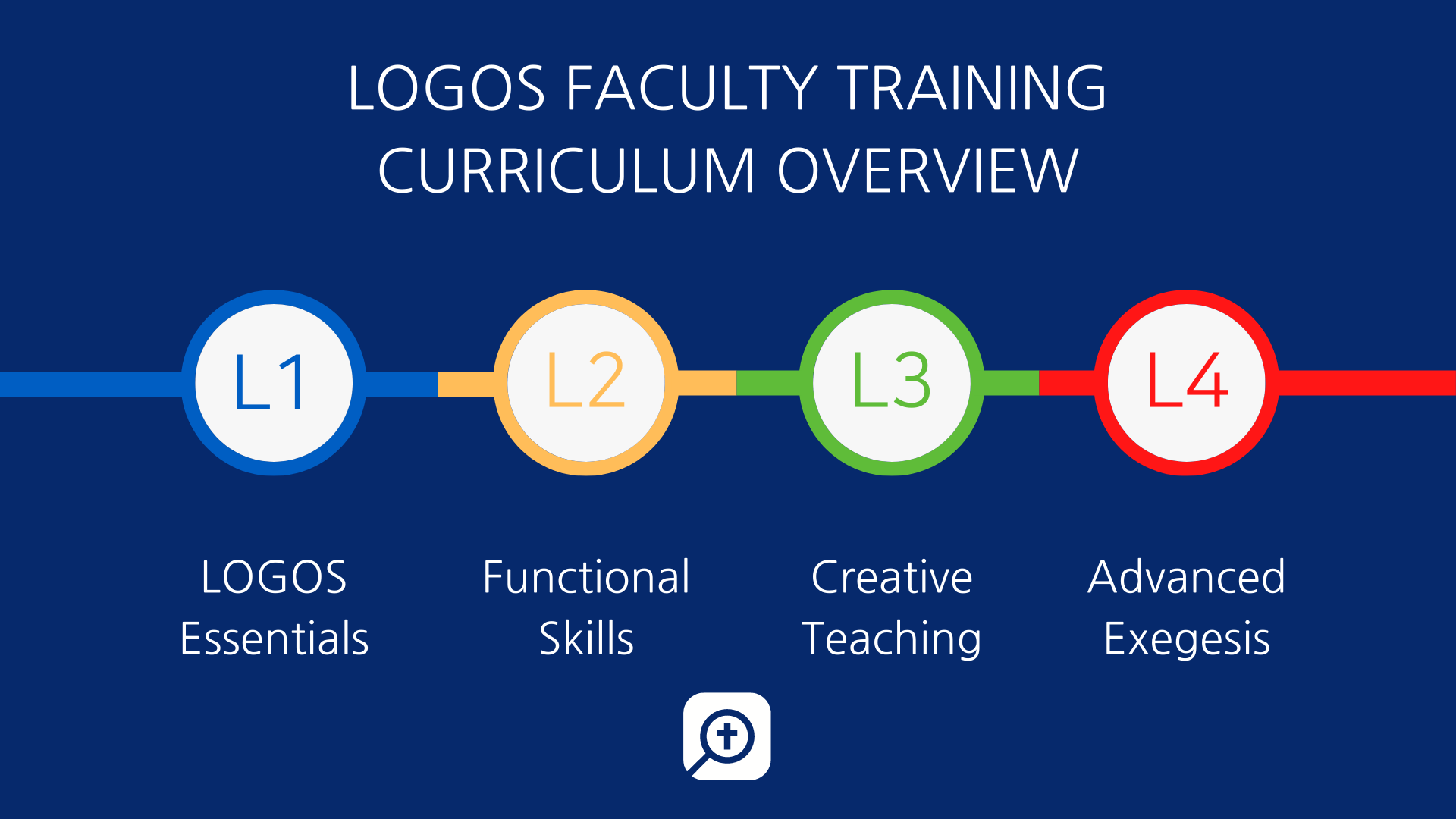
Holy Rosary Parish proudly presents: Spring Semester 2024 New LOGOS Courses- by Dr. Steven Ingino, via LAD Rosenkranz


Logos Bible Software is an incredible blessing and excels in its ability to help you dig deep into God’s Word. We are convinced that Logos will enhance your studies and save you valuable time. Dr. Steven Ingino from Logos Bible Software will be providing training in Logos for our students (and faculty are welcome to join as well). Steve has used Logos for over twenty years as a seminary student and pastor and will share how to get the most out of the software for your studies and ministries.


If you are new to Logos or looking to grow in your usage of the software, we highly encourage you to attend one or more of the upcoming online trainings described below. You can attend as many of the trainings as you’d like, and if a time doesn’t work for you, there are also on-demand and guided course options listed below. Save your spot by registering soon!


  • Logos Basic and Intermediate Training – Tuesday, 4/9 – Noon Pacific
  • Searching and Research in Logos – Tuesday, 4/16 – Noon Pacific
  • Ask Anything! Q&A for Logos Bible Software – Thursday, 4/18 – Noon Pacific

Check out the Training Hub with all the training registration links in one place and additional trainings (various dates/times) offered by other Logos trainers: https://www.logos.com/academic-webinars

If you attend a school outside of the U.S. and the time of the event is too early/late for you, please register and then I will send you the recording after the training takes place (this will include helpful handouts as well).

Logos Basic and Intermediate Training: (105 Minutes)

  • When?: Tuesday, 4/9/2024 @ Noon Pacific (Register Here)
  • Where?: Online - Zoom link supplied with registration
  • Why?: In this training, you’ll discover strategies anyone can use to get started with ease but will also gain a greater appreciation of how to customize Logos for your specific study needs.We will cover topics and features such as customizing layouts, utilizing parallel resources, the text comparison tool, the information tool, the passage guide, exegetical guide, topic guide, Bible word study guide (linking tools and guides to your Bible for instant lookup), basic biblical searching, searching your library, the Factbook, the amazing tools on the selection menu to speed up research, and time-saving shortcuts.
  • If these times don’t work for you, take the online “Getting Started” course here or watch the 101, 102, and 103 videos at www.logos.com/student-training
  • For training materials in Spanish, please visit: https://support.logos.com/hc/es
  • Spanish Training Videos: https://support.logos.com/hc/es/categories/360000675231


Searching and Researching in Logos (105 minutes)

  • When?: Tuesday, 4/16/2024 @ Noon Pacific (Register Here)
  • Where?: Online- Zoom link supplied with registration
  • Why?: In this training, we will cover how to use Logos to perform basic and sophisticated searches in the Biblical text. You will learn how to do original language searches (on words and phrases) and how to use the morph search for some powerful searches that will enhance your studies and exegesis.

You’ll discover how to search multiple books in your library for various content, improving your research (search all your journals, commentaries, or Bible dictionaries, etc.). We will cover how to use the Notes Tool and Favorites Tool for your research and for writing papers. You’ll learn how Logos can help you with citing sources (footnotes), building a bibliography, “automatically” creating a bibliography for you, as well as collecting, organizing, storing, and searching notes for your current studies and years of use in the future.

Ask Anything! Q&A for Logos Bible Software (1 hour)

  • When?: Thursday, 4/18/2024 @ Noon Pacific (Register Here)
  • Where?: Online- Zoom link supplied with registration
  • Why?: You probably have Logos questions related to specific assignments, study needs, or various tools and features. Here’s your opportunity to ask anything you want! Feel free to listen in and learn even if you don’t have specific questions.

Please contact Dr. Steven Ingino at steven.ingino@logos.com if you have questions about the trainings.

  If You up to now did not register, pls do it now to get the most benefit out of LOGOS Remote Research Library plus VIU The Network Study Programm:

Rosary Parish

Dienstag, 17. Oktober 2023

Logos Bible Software Trainings (Fall, Mid-Semester 2023), via Lord Archbishop Dr. Uwe A. E. Rosenkranz

 Logos Bible Software Trainings (Fall, Mid-Semester 2023)


Logos Bible Software is an incredible blessing and excels in its ability to help you dig deep into God’s Word. We are convinced that Logos will enhance your studies and save you valuable time. Dr. Steven Ingino from Logos Bible Software will be providing training in Logos for our students (and faculty are welcome to join as well). Steve has used Logos for over twenty years as a seminary student and pastor and will share how to get the most out of the software for your studies and ministries.


If you are new to Logos or looking to grow in your usage of the software, we highly encourage you to attend one or more of the upcoming online trainings described below. You can attend as many of the trainings as you’d like, and if a time doesn’t work for you, there are also on-demand options listed below. Save your spot by registering soon!


  • Logos Basic and Intermediate Training – Thursday, 11/2 – Noon Pacific
  • Searching and Research in Logos – Tuesday, 11/7 – Noon Pacific (Daylight Saving Time ends on Nov. 5 so adjust accordingly, especially if you’re in AZ, Mountain, or Central Time Zone)
  • Shortcuts for Research in Logos – Thursday, 11/9 – Noon Pacific


Check out the Training Hub with all the training registration links in one place and additional trainings (various dates/times) offered by other Logos trainers: https://www.logos.com/academic-webinars


If you attend a school outside of the U.S. and the time of the event is too late for you, please register and then I will send you the recording after the training takes place.


Logos Basic and Intermediate Training: (105 Minutes)

  • When?: Thursday, 11/2/2023 @ Noon Pacific (Register Here)
  • Where?: Online - Zoom link supplied with registration
  • Why?: In this training, you’ll discover strategies anyone can use to get started with ease but will also gain a greater appreciation of how to customize Logos for your specific study needs.

    We will cover topics and features such as customizing layouts, utilizing parallel resources, the text comparison tool, the information tool, the passage guide, exegetical guide, topic guide, Bible word study guide (linking tools and guides to your Bible for instant lookup), basic biblical searching, searching your library, the Factbook, the amazing tools on the selection menu to speed up research, and time-saving shortcuts.

  • If these times don’t work for you, take the online “Getting Started” course here or watch the 101, 102, and 103 videos at www.logos.com/student-training
  • For training materials in Spanish, please visit: https://support.logos.com/hc/es
  • Spanish Training Videos: https://support.logos.com/hc/es/categories/360000675231


Searching and Researching in Logos (105 minutes)

  • When?: Tuesday, 11/7/2023 @ Noon Pacific (Register Here)
  • Where?: Online- Zoom link supplied with registration
  • Why?: In this training, we will cover how to use Logos to perform basic and sophisticated searches in the Biblical text. You will learn how to do original language searches (on words and phrases) and how to use the morph search for some powerful searches that will enhance your studies and exegesis.


You’ll discover how to search multiple books in your library for various content, improving your research (search all your journals, commentaries, or Bible dictionaries, etc.). We will cover how to use the Notes Tool and Favorites Tool for your research and for writing papers. You’ll learn how Logos can help you with citing sources (footnotes), building a bibliography, “automatically” creating a bibliography for you, as well as collecting, organizing, storing, and searching notes for your current studies and years of use in the future.


Shortcuts for Research in Logos (60 min)

  • When?: Thursday, 11/9/2023 @ Noon Pacific (Register Here)
  • Where?: Online- Zoom link supplied with registration
  • Why?: Learn how to customize Logos for your unique study needs and how to create search shortcuts that will revolutionize your studies. This has been a gamechanger for students and pastors.


Please contact Dr. Steven Ingino at steven.ingino@logos.com if you have questions about the trainings.


Thanks!


–

Dr. Steven Ingino

Senior Customer Success Manager and Training Specialist | Higher Ed

Logos


Book a meeting with me

Online training videos

Online support

Academic Portal and IA Support

We use technology to equip the Church to grow in the light of the Bible.

image005.png

Freitag, 13. Januar 2023

LOGOS 10 RRL- Neue Kurse-New Courses Sping 2023


Logos Bible Software Trainings (Spring 2023)

LAD Uwe A. E. Rosenkranz

Logos Bible Software is an incredible blessing and excels in its ability to help you dig deep into God’s Word. We are convinced that Logos will enhance your studies and save you valuable time. Dr. Steven Ingino from Logos Bible Software will be providing training in Logos for our students (and faculty are welcome to join as well). Steve has used Logos for over twenty years as a seminary student and pastor and will share how to get the most out of the software for your studies and ministries.

If you are new to Logos or looking to grow in your usage of the software, we highly encourage you to attend one or more of the upcoming online trainings described below. You can attend as many of the trainings as you’d like, and if a time doesn’t work for you, there are also on-demand options listed below. Save your spot by registering soon!

  1. Logos Basic and Intermediate Training – Monday, 1/16 – 11am Pacific
  2. Searching and Research in Logos – Friday, 1/20 – Noon Pacific
  3. What’s New in Logos 10 – Monday, 1/23 – 11am Pacific
  4. Shortcuts for Research in Logos – Thursday, 1/26 11am Pacific
  5. Ask Anything! Q&A for Logos Bible Software – Friday, 1/27 – 11am Pacific

Check out the Training Hub with all the training registration links in one place and additional trainings (various dates/times) offered by other Logos trainers: https://www.logos.com/academic-webinars

** For schools that are overseas, these trainings will be recorded, and links sent to you after the session. However, students may prefer using the student training site listed below so that they can pause the video and work in Logos at their own pace.

Logos Basic and Intermediate Training: (90 Minutes)

When?: Monday, 1/16/2023 @ 11am Pacific (Register Here)
Where?: Online – Zoom link supplied with registration
Why?: In this training, you’ll discover strategies anyone can use to get started with ease but will also gain a greater appreciation of how to customize Logos for your specific study needs.

We will cover topics and features such as customizing layouts, utilizing parallel resources, the text comparison tool, the information tool, the passage guide, exegetical guide, topic guide, Bible word study guide (linking tools and guides to your Bible for instant lookup), basic biblical searching, searching your library, the Factbook, the amazing tools on the selection menu to speed up research, and time-saving shortcuts.
If these times don’t work for you, take the online “Getting Started” course here (https://www.easy-lms.com/getting-started-with-logos/course-42298) or watch the 101, 102, and 103 videos at www.logos.com/student-training
For training materials in Spanish, please visit: https://support.logos.com/hc/es
Spanish Training Videos: https://support.logos.com/hc/es/categories/360000675231

Searching and Researching in Logos (90 minutes)

When?: Friday, 1/20/2023 @ Noon Pacific (Register Here)
Where?: Online- Zoom link supplied with registration
Why?: In this training, we will cover how to use Logos to perform basic and sophisticated searches in the Biblical text. You will learn how to do original language searches (on words and phrases) and how to use the morph search for some powerful searches that will enhance your studies and exegesis.

You’ll discover how to search multiple books in your library for various content, improving your research (search all your journals, commentaries, or Bible dictionaries, etc.). We will cover how to use the Notes Tool and Favorites Tool for your research and for writing papers. You’ll learn how Logos can help you with citing sources (footnotes), building a bibliography, “automatically” creating a bibliography for you, as well as collecting, organizing, storing, and searching notes for your current studies and years of use in the future.

If these times don’t work for you, you will find training videos at www.logos.com/student-training as well as www.logos.com/pro

What’s New in Logos 10 (1 hour)

When?: Monday 1/23/2023 @ 11am Pacific (Register Here)
Where?: Online- Zoom link supplied with registration
Why?: Logos 10 has a new user interface and powerful new features. Come explore the updates and get acclimated so that you can continue to get the most out of all that Logos has to offer.

Shortcuts for Research in Logos (1 hour)

When?: Thursday 1/26/2023 @ 11am Pacific (Register Here)
Where?: Online- Zoom link supplied with registration
Why?: Learn how to customize Logos for your unique study needs and how to create search shortcuts that will revolutionize your studies. This has been a gamechanger for students and pastors.

Ask Anything! Q&A for Logos Bible Software (1 hour)

When?: Friday, 1/27/2023 @ 11am Pacific (Register Here)
Where?: Online- Zoom link supplied with registration
Why?: You probably have Logos questions related to specific assignments, study needs, or various tools and features. Here’s your opportunity to ask anything you want! Feel free to listen in and learn even if you don’t have specific questions.

Please contact Steve Ingino at steven.ingino@faithlife.com if you have questions about the trainings or accessing Logos.

Thanks!


[ecwid_product id=“276414958″ display=“picture title price options qty addtobag“ version=“2″ show_border=“1″ show_price_on_button=“1″ center_align=“1″]

Uwe

LAD Uwe A. E. Rosenkranz

Guckenbuehlstrasse 19

72475 Bitz

Germany

+49 7431 8752

+49 15229584530